
5.7 KiB
xtc screenshots
The main gallery was refreshed after Phase 68 on 2026-11-06. Two additional Phase 79 captures show the new sample editor and transient markers. These are actual rendered application windows and menus on a 1440 × 960 virtual X11 screen, without mockups, compositing or image edits.
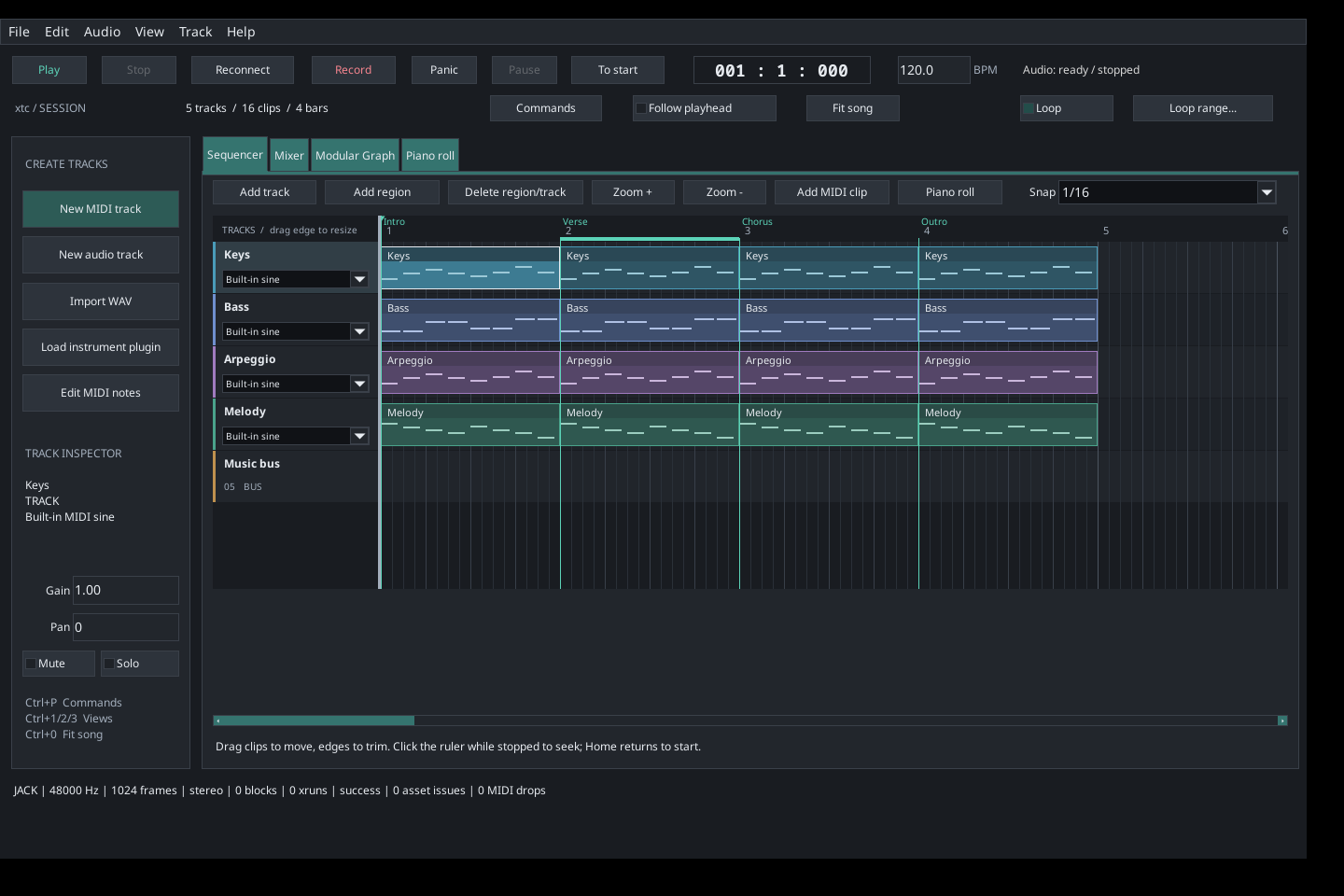
The temporary demonstration project starts from
examples/projects/modern-session.xtc, adding Intro/Verse/Chorus/Outro markers,
a routed music bus and gain automation. Editing results use the real control
APIs and GUI history/preparation paths. Original projects, media and user
configuration are not overwritten. Black margins are the virtual desktop;
floating views show the actual detached windows together.
New arrangement and composition workflows
| Phase | Feature | Captures |
|---|---|---|
| 58 | Persistent named arrangement markers | Ruler, marker editor |
| 59 | Section navigation and looping | Current section loop |
| 60 | Ripple time insertion/removal | Controls, inserted gap |
| 61 | Complete track duplication | Independent layered track |
| 62 | Nondestructive MIDI splitting | Split clip |
| 63 | MIDI clip consolidation | Consolidated clip |
| 64 | Seeded MIDI humanization | Timing, velocity and seed |
| 65 | Chord construction | Intervals, generated notes |
| 66 | Offline arpeggio generation | Step, gate and direction, written pattern |
| 67 | Audio peak normalization | Target dBFS, normalized clip |
| 68 | Portable media collection | New destination folder |


Collection is also executed by the capture tool into its temporary directory; the screenshot shows its destination prompt, not a file browser or progress UI. See COMPOSITION_WORKFLOWS.md for precise behavior, limits and commands. The screenshots illustrate implemented workflows; they do not establish feature parity with other DAWs.
Audio source editor (Phases 69–79)
- Frame selection, waveform, statistics and processing controls
- Detected source attacks and clip slicing controls


These captures show the actual modal editor with the repository pluck WAV. Processing is staged locally; Save full copy and relink applies it to the project. See AUDIO_EDITOR.md for limits and frame/tick rounding.
Refreshed application views
All pre-existing images below were recaptured. Mixer playback meters come from
real JACK callbacks. The minimum-size capture uses a 1220 × 720 main window;
the scrolled view adds twelve tracks. Audio views import the repository's
original-pluck.wav and apply clip gain/fades. Plugin views use repository test
fixtures, not commercial plugins. Internal instrument menus and delay/reverb
editors show the real available devices and controls. The command palette uses
the current application action list.


Detach panels from the View menu; close a floating window or use its Dock button to return it to the main window.
Reproduce the gallery
From the repository root, run:
make BUILD_DIR=build/next-daw screenshots
This optional documentation target requires the existing FLTK/JACK build
prerequisites, a running JACK server, Xvfb (xvfb-run), ImageMagick (import) and
xdotool. It builds the repository plugin fixtures, runs
the capture tool, and replaces the gallery
PNGs. All demonstration edits and collection outputs use an automatically removed
temporary directory; no preferences are saved. It neither installs dependencies
nor starts/reconfigures the audio server.
Set XTC_CAPTURE_SAMPLE_ONLY=1 for the capture tool (or the make target) to write
only the two sample-editor images while retaining the existing gallery.