
48 lines
1.8 KiB
Markdown
48 lines
1.8 KiB
Markdown
# Arduino Themes
|
|
A collection of themes for the Arduino IDE. Installation is full manual. Read this https://thecustomizewindows.com/2017/10/change-theme-font-syntax-highlighting-arduino-ide/
|
|
|
|
Monkai :
|
|
|
|
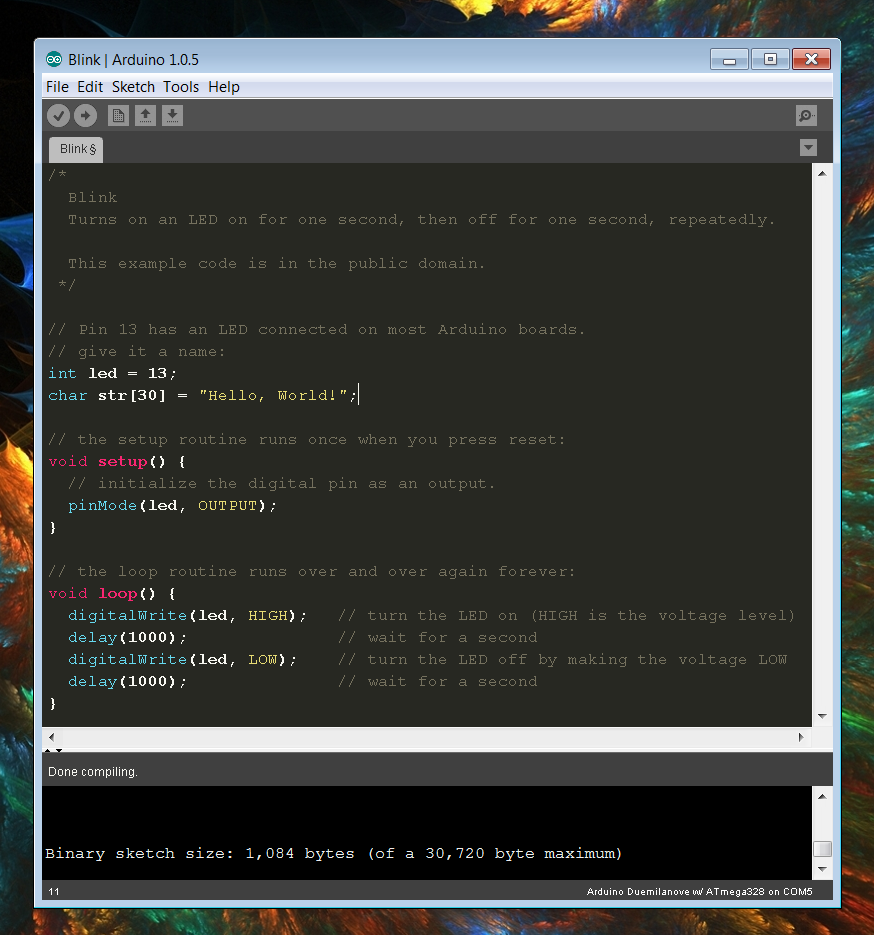
|
|
|
|
DarkIce :
|
|
|
|
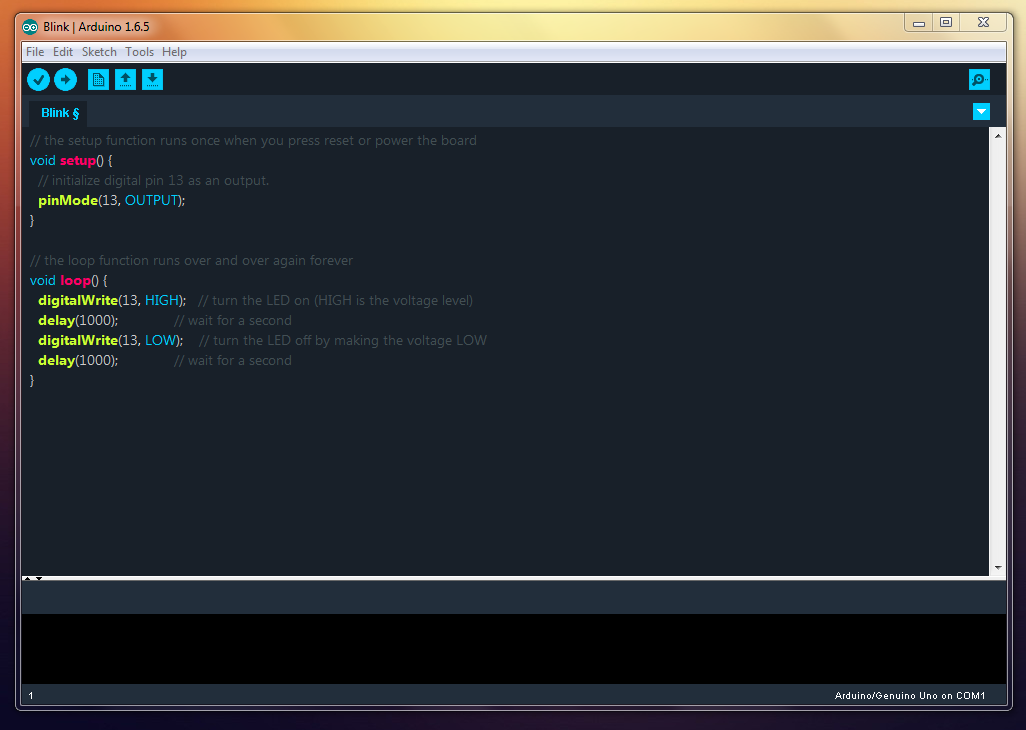
|
|
|
|
DarkArduino :
|
|
|
|
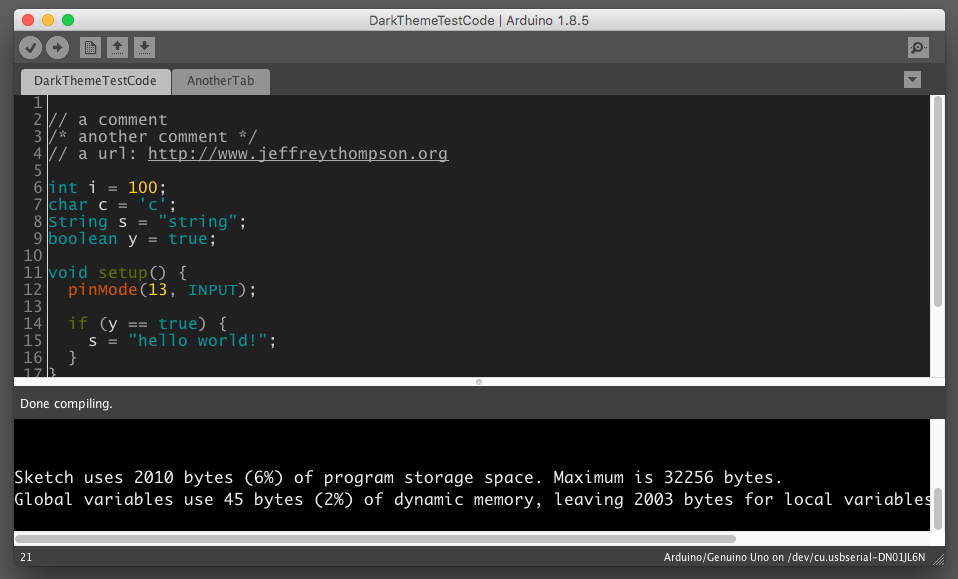
|
|
|
|
Update :
|
|
|
|
Also look at :
|
|
|
|
1. Dracula : https://draculatheme.com/arduino-ide and https://github.com/dracula/arduino-ide
|
|
2. Dark theme : https://github.com/taunoe/arduino-dark-theme
|
|
|
|
|
|
#### Installation
|
|
- Back up your current theme by rename the folder **{Arduino IDE
|
|
installation folder}/lib/theme** to **theme.original** or any other
|
|
convenient name.Mac users should look in
|
|
`~/Applications/Arduino.app/Contents/Java/lib` and Windows users should
|
|
look in `C:\Program Files (x86)\Arduino\lib`.
|
|
- PREFERENCES.TXT : On Windows, located here:
|
|
`%AppData%\Roaming\Arduino`, on Mac located here:
|
|
`~/Applications/Arduino.app/Contents/Java/lib`
|
|
- Download the desired theme from the download link on the list above.
|
|
- Copy the theme folder from the downloaded file to **{Arduino IDE
|
|
installation folder}/lib**.
|
|
- Restart the Arduino IDE if it's running.
|
|
|
|
|
|
#### Acknowledgments
|
|
I have not created the themes. I only collected them for personal usage.
|
|
Most are from Arduino Forum, few are from Github. The theme directories
|
|
are named with AuthorName--ThemeName convention.
|
|
|
|
- [Jeff Thompson](https://github.com/jeffThompson/DarkArduinoTheme),
|
|
also see [DarkProcessing
|
|
v3.0](https://github.com/jeffThompson/DarkProcessingTheme_3.0)
|
|
- [technobly](https://github.com/technobly/MonokaiArduinoTheme)
|
|
|