mirror of
https://codeberg.org/armin/monoslicer.git
synced 2026-09-01 04:10:45 +02:00

2.4 KiB
2.4 KiB
MonoSlicer
A monophonic sample slicer and sampler instrument built with JUCE and CMake.
Load an audio file, slice it into regions (automatically via onset detection or manually), and trigger individual slices via MIDI.
Screenshot
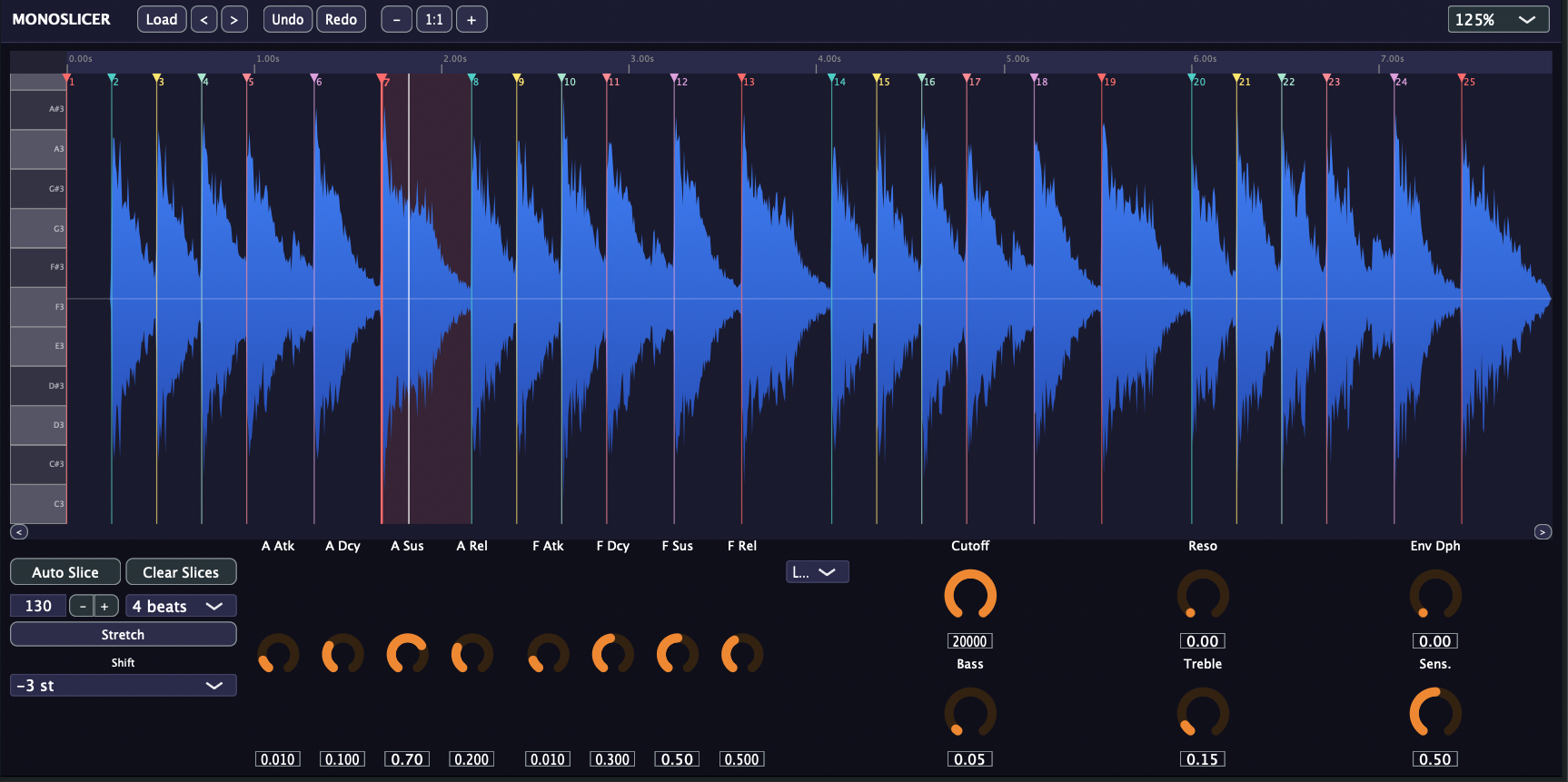
Features
- Slice & trigger -- Load WAV, AIFF, FLAC, or OGG files and play slices chromatically via MIDI (starting at C4)
- Auto-slice -- Onset-based detection with adjustable sensitivity
- Manual slice control -- Click to add, right-click to remove, drag to reposition slice markers
- Per-voice envelopes -- Amplitude and filter ADSR envelopes with configurable depth
- Filter -- 5-mode biquad filter (LP12, LP24, HP, Bandpass, Notch) with cutoff, resonance, and envelope depth
- Tone shaping -- Bass and treble controls
- Pitch shift -- Key transpose from -12 to +12 semitones
- Time stretch -- Resample to a target beat count at a given BPM
- Undo/redo for slice operations
- Zoomable waveform display with piano key sidebar and time ruler
- Full DAW state recall -- All parameters and slices are saved with your session
- UI scaling from 50% to 200%
Building
Requires CMake 3.22+ and a C++17 compiler.
make # Fetch JUCE, configure, build, and install (AU + VST3)
Running make with no arguments will fetch JUCE, build MonoSlicer in Release mode, copy the AU and VST3 plugins to your system directories, and trigger an Audio Unit rescan.
Individual targets are also available:
make fetch      # Clone JUCE 8.0.9
make configure  # CMake configure
make build      # Build (Release)
make install    # Install AU + VST3 to system directories
Clean
make clean
Plugin Formats
- Audio Unit (AU)
- VST3
- Standalone
Usage
- Load an audio file via the Load button, drag-and-drop, or the < / > buttons to browse the current folder
- Click Auto Slice or manually click on the waveform to place slice markers
- Play slices via MIDI -- note C4 triggers slice 0, C#4 triggers slice 1, and so on
- Shape the sound with the amp/filter envelopes, filter, and tone controls
Waveform Interaction
| Action | Effect |
|---|---|
| Left-click on waveform | Add slice marker |
| Drag slice marker | Reposition |
| Right-click on waveform | Remove nearest slice |
| Click piano key | Trigger corresponding slice |
| Mouse wheel | Zoom / scroll |