
4.8 KiB
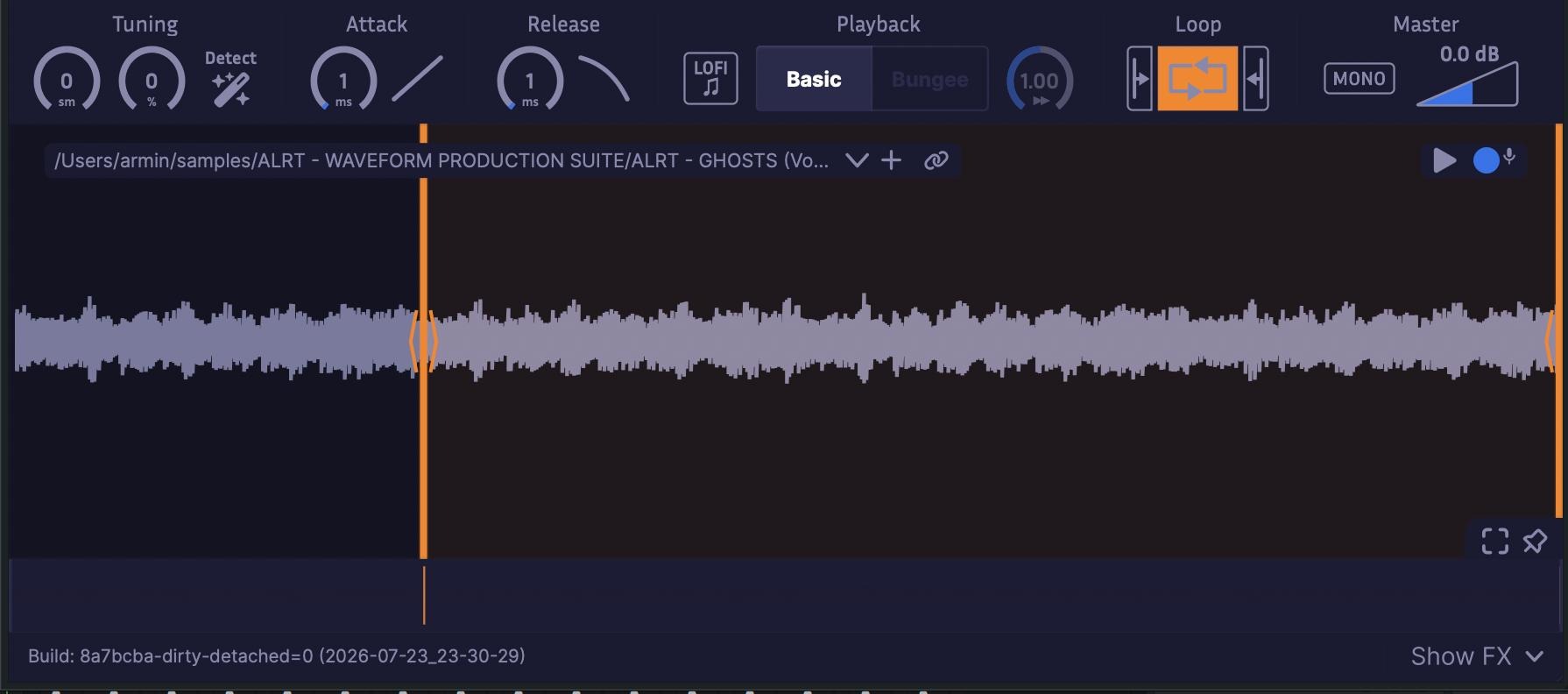
Just a Sample
Note: This is a fork of Just a Sample by Binyamin Friedman.
Your favorite sampler shouldn't be complicated.
Available for Windows, Mac, and Linux in VST3/AU.
Overview
Just a Sample is a powerful, modern audio sampler, with a focus on simplicity and ease of use. This is my personal fork of the project. All glory to Binyamin, not me.
Features
Core features
- Smoothly zoom in to the level of individual samples to set bounds as accurately as you need. Waveform drawing is optimized for large samples.
- Integrated Bungee time stretcher allows for freely modulating time and pitch independently. Try extreme slow-downs (0.01x) for unique sounds.
- Modern navigation controls allow for easy browsing of waveforms with touchpad or mouse.
- A routable FX chain includes reverb, chorus, distortion, and EQ for easy sound design.
- Waveform Mode activates when small bounds are set, looping the waveform periodically like a wavetable synth. This turns Just a Sample into a unique tone generator.
- Easily modify attack and release curves.
- Includes equal power cross-fade looping with separate attack and release sample portions.
- Supports pitch bend and fine-tuning.
Extras
- Disable antialiasing for a gritty LoFi effect.
- Record samples directly into the sampler.
- Store samples directly in plugin state to remove dependencies (can be disabled).
- Auto-tune to A440 (experimental, works best on simple sounds).
Installation
Pre-built
You can download installers from,
Build from source
Just a Sample is easy to build from source.
# Clone the repository
git clone --recurse-submodules https://github.com/BOBONA/Just-a-Sample/.git

# Go to the project root
cd Just-a-Sample

# Configure the plugin (replace <platform> with windows, mac, or linux)
cmake --preset=<platform>

# Build the plugin
cmake --build --preset=release-<platform>
Note that the first time you configure the project, CMake will download JUCE and other dependencies, which may take a while.
Your built plugin will be located in out/build/<platform>/<configuration>/JustASample_artefacts/<Configuration>/<format>/ where <platform> is windows, mac, or linux, <configuration> is either debug or release, and <format> is either VST3 or AU (Mac only).
Build Options
You can set the following CMake options by passing -D<option>=<value> to the CMake configure step.
JAS_DARKMODE_DEFAULT: Set the default theme to dark mode (default: OFF)JAS_VST3_REAPER_INTEGRATION: Enable Reaper-specific VST3 extensions (Windows only, default: OFF)
Requirements
All Platforms:
- Git
- CMake 3.22 or higher
- Platform-specific build tools
Windows:
- Ninja build system
- Visual Studio 2019 or later
macOS:
- Xcode 12 or later
Linux:
- GCC 9+
- Ninja build system
- JUCE dependencies (install via the provided script, or do it yourself):
./Releases/Linux/install-dependencies.sh
Dependencies
Just a Sample relies on:
- JUCE for plugin framework and UI
- Bungee for time-stretching and pitch-shifting
- Melatonin Blur for fast shadow-compositing
- LEAF for a fast pitch-detection algorithm
- readerwriterqueue for lock-free thread communication
- Gin for AirWindows distortion and SimpleVerb reverb algorithms
- MTS-ESP for microtuning support
- reaper-sdk for Reaper-specific VST3 extensions
JUCE, Bungee, Melatonin Blur, and LEAF are included through CMake, readerwriterqueue is included as a git submodule, and the others are included as source files in the project.
Credits
Big shouts going out to Binyamin Friedman - Creator of the original Just a Sample. Thank you for building such an elegant and well-designed sampler, and for making it open source for the community to learn from and build upon. Thank you Binyamin, I learned a lot from you.
Also special thanks to JUCE and The Audio Programmer Discord for all the help.