mirror of
https://codeberg.org/armin/beamgrid.git
synced 2026-10-31 21:01:59 +01:00
A simple graphical analyzer / spectrum visualizer
- C++ 93%
- CMake 6%
- C 1%
| cmake | ||
| Source | ||
| .gitignore | ||
| beamgrid01.png | ||
| beamgrid02.png | ||
| CMakeLists.txt | ||
| LICENSE | ||
| README.md | ||



BEAMGRID
BEAMGRID is a JUCE-based VST3 / AU spectrum analyzer with a fully black UI, teal accents, and a configurable display. For more information about the JUCE C++ framework, see: https://juce.com/
Screenshots
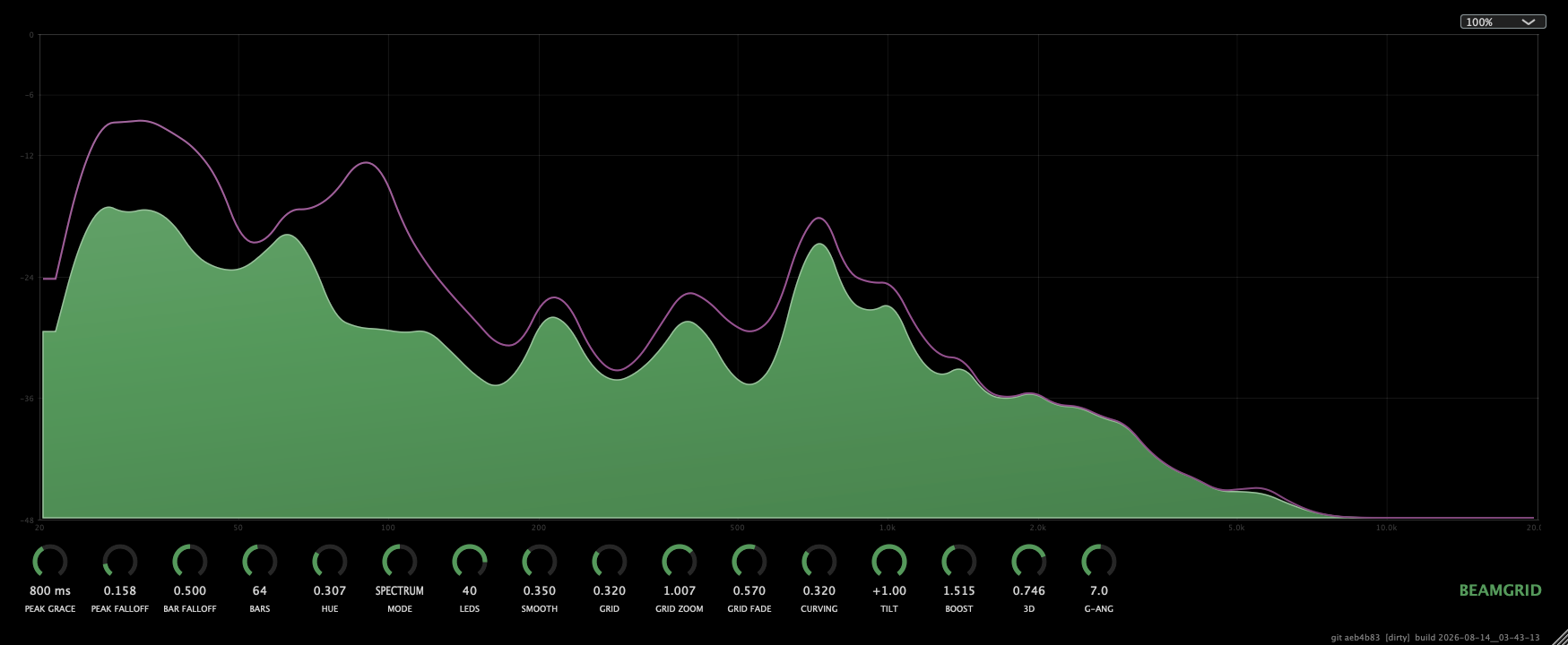
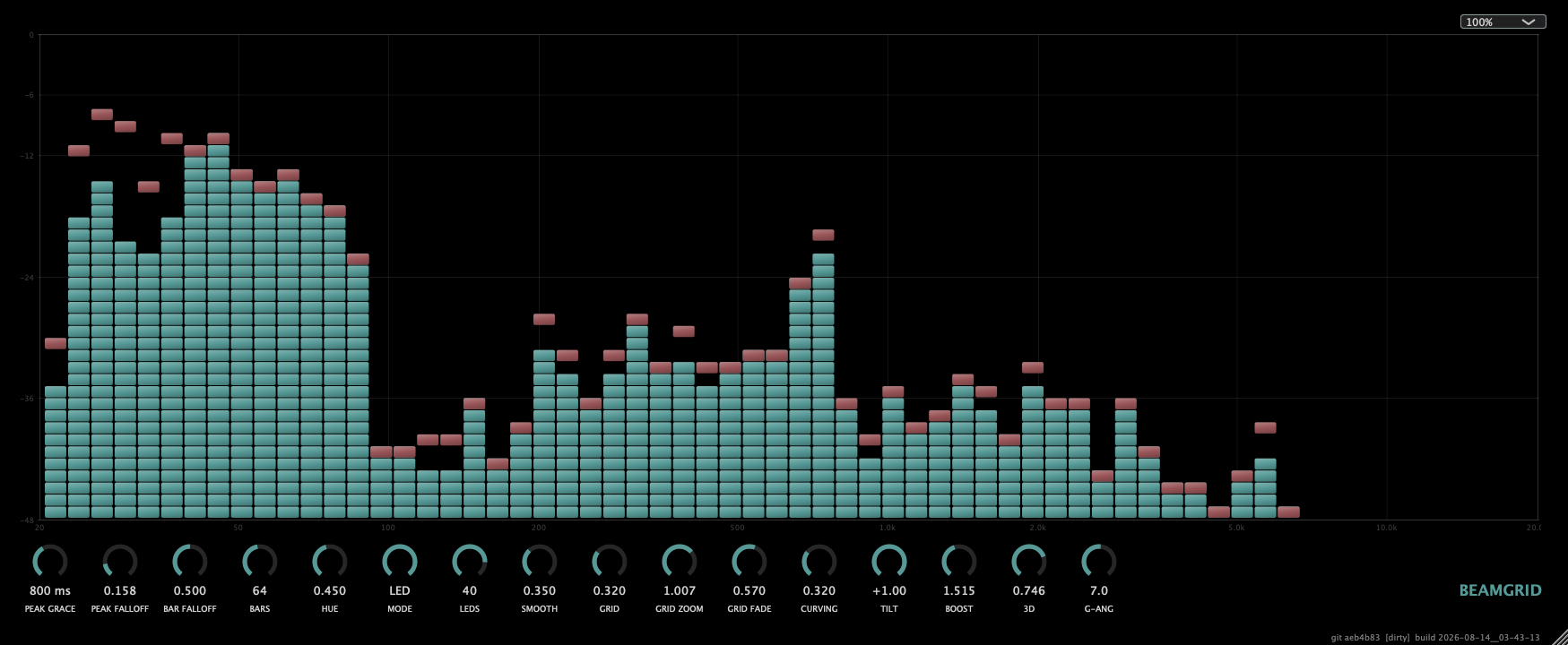
Features
- Three display modes (
MODEknob):- BARS - classic log-spaced spectrum bars with peak-hold caps.
- SPECTRUM - a smooth (quadratic-spline) waveform trace of the spectrum, with a matching smooth peak-hold wave. Use the
SMOOTHknob to go from raw/edgy to heavily smoothed. - LED - an LED-meter style view (
LEDSknob sets LEDs per bar).
- Frequency range fixed to 20 Hz – 20 kHz.
- HUE knob rotates the hue of every UI accent (knob arcs, peaks, title) without altering the underlying data.
- UI scaling dropdown (75% – 300%) in the top-right.
- Per-project size & scale persistence (stored in the plugin state).
Parameters
| Knob | Range | Description |
|---|---|---|
| PEAK GRACE | 0 – 2000 ms | Grace period before a peak-hold marker decays |
| PEAK FALLOFF | 0 – 1 | Peak-hold decay rate |
| BAR FALLOFF | 0 – 1 | Spectrum bar release speed |
| BARS | 8 - 128 | Number of spectrum bands (snaps) |
| HUE | 0 – 1 | Rotates the UI accent hue (0.5 = no change) |
| MODE | 1 / 2 / 3 | BARS / SPECTRUM / LED |
| LEDS | 4 – 48 | LEDs per bar in LED mode |
| SMOOTH | 0 – 1 | Waveform smoothing amount in SPECTRUM mode |
| GRID | 0 – 1 | Grid (frequency/level) visibility / brightness |
| ZOOM | 98.0% – 102.0% | Grid zoom about the plot centre |
| GRID FADE | 0 – 1 | Fades inner grid lines; outer border stays |
| CURVING | 0 – 1 | LED corner radius (0 = square, 1 = rounded) |
| TILT | -1 – 1 | Spectral tilt: + boosts highs / cuts lows, - does the reverse (0 = flat) |
| BOOST | 0.75 – 2.5 | Global display level multiplier (1.0 = unity) |
| 3D | 0 – 1 | Pseudo-3D bevel/shading on bars, LEDs, peaks and curve (0 = flat) |
| G-ANG | -180 – 180 | Gradient angle for the 3D shading (0 = top-lit, +/-90 = side-lit) |
Building
Requires CMake (>= 3.22) and a JUCE-supported toolchain (Xcode / clang on macOS, GCC / Clang on Linux, etc.). JUCE is fetched automatically by CMake.
macOS
cmake -B build -G Ninja
cmake --build build --config Release
Linux
Install the JUCE system dependencies, then build:
# Debian / Ubuntu (DEB)
sudo apt-get install -y libasound2-dev libfreetype6-dev libx11-dev \
  libxcomposite-dev libxcursor-dev libxext-dev libxinerama-dev libxrandr-dev

# Fedora (RPM)
sudo dnf install -y alsa-lib-devel freetype-devel libX11-devel \
  libXcomposite-devel libXcursor-devel libXext-devel libXinerama-devel libXrandr-devel

# Arch Linux / Artix
sudo pacman -S alsa-lib freetype2 libx11 libxcomposite libxcursor \
  libxext libxinerama libxrandr
Build BEAMGRID:
cmake -B build -G Ninja
cmake --build build --config Release
The built plugins are installed to your system plugin folders:
build/BEAMGRID_artefacts/Release/VST3/BEAMGRID.vst3build/BEAMGRID_artefacts/Release/AU/BEAMGRID.component(macOS only)
Then rescan in your DAW (FL Studio, REAPER, Logic, etc.).
Windows
It should work on Windows, too, but I have not tested that, and I have zero intentions to do so. Good luck.
Project layout
Source/
  PluginProcessor.cpp/.h   Audio processor + parameter layout
  PluginEditor.cpp/.h      Editor UI, knobs, layout
  Analyser.h/.cpp          FFT analysis, banding, peak-hold
  AnalyserComponent.h      Drawing (BARS / SPECTRUM / LED)
  BeamgridLookAndFeel.h    Black/teal styling, hue rotation, rotary drawing
License
See the repository license file.